

QR Scanner AI: Scan & Create
By Smart Apps Android • Tools & Productivity
Scan QR, scan barcodes, create QR codes, save history & favorites
App Screenshots

In-Depth Overview: QR Scanner AI: Scan & Create
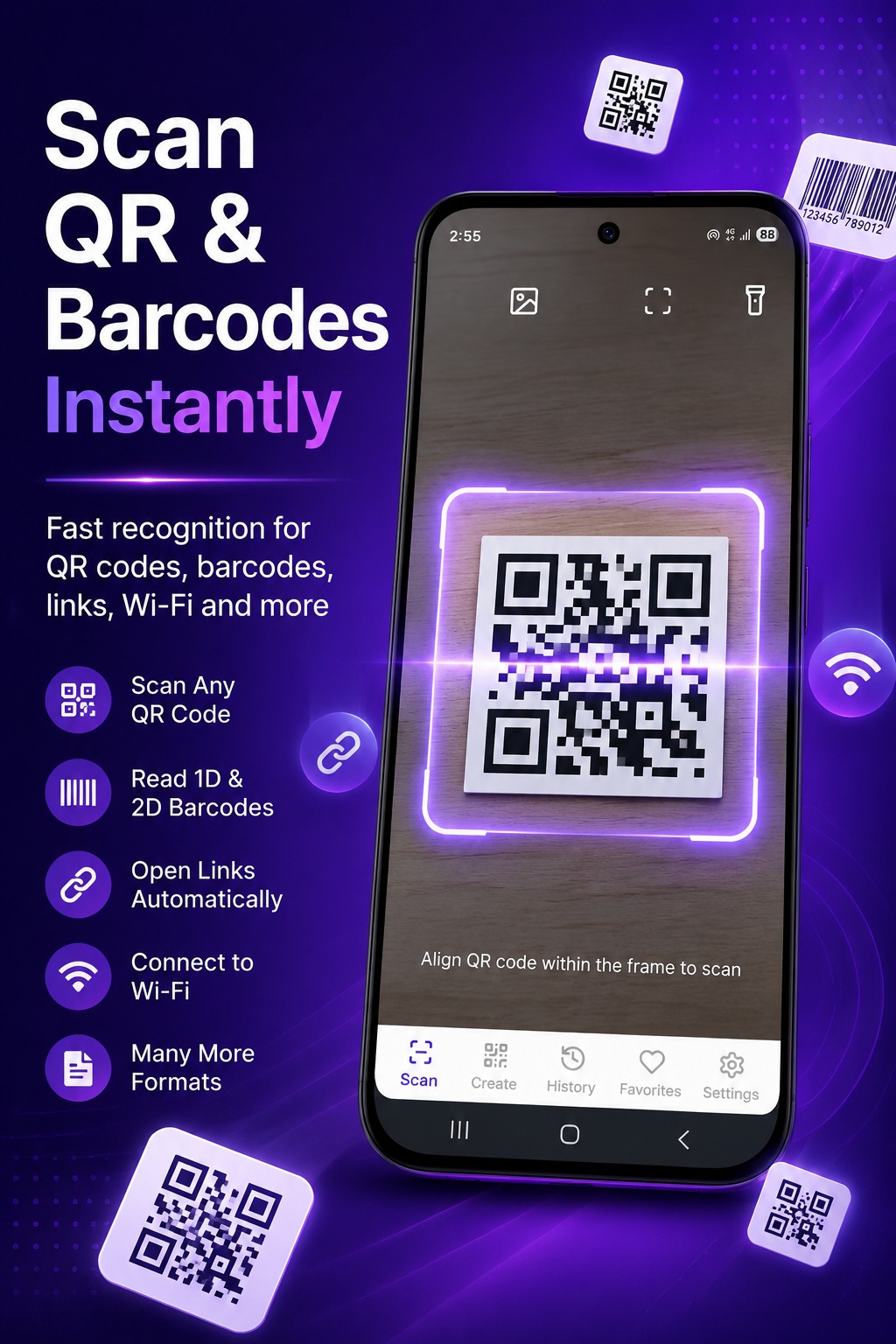
QR Scanner AI is a fast, smart, and easy-to-use app designed to scan all types of QR codes and barcodes instantly. Whether you want to open a website, connect to Wi-Fi, save a contact, or create your own QR codes — everything is available in one modern and intuitive application. Enjoy a smooth experience with a professional design, useful everyday features, and a privacy-focused approach.
Core Features
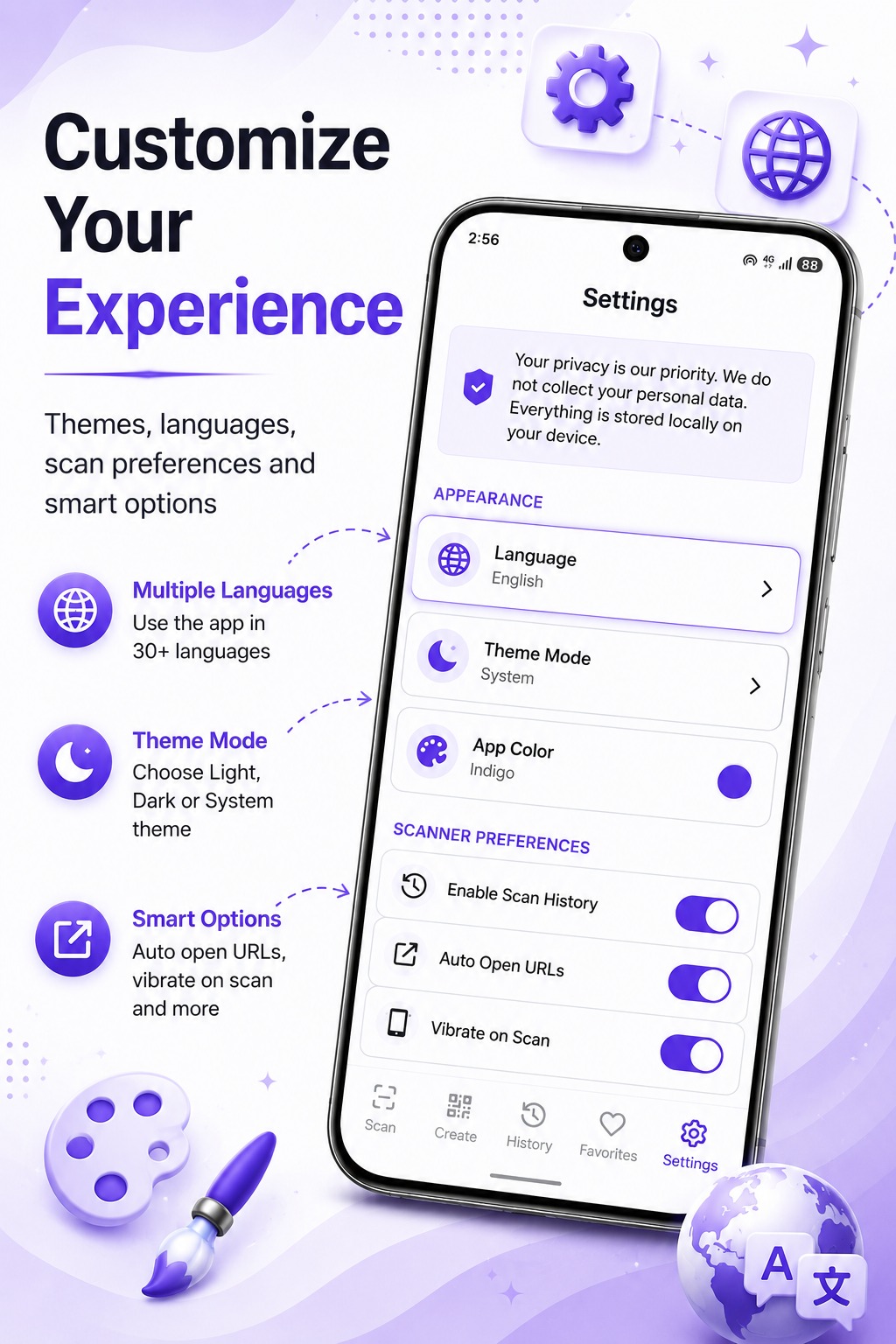
- Smart Scanner: Real-time camera detection, scan from gallery images, built-in flashlight, sound and vibration feedback, optional automatic URL opening.
- Local Scan History: History stored locally on your device. No unnecessary collection of personal information. Full control over your data.
- Favorites: Save important QR codes and access them anytime with one tap.
- Create Your Own QR Codes: Generate QR codes for Text, URL, Wi-Fi, Contacts, Emails, SMS, Phone Numbers, Clipboard contents.
- Easy Sharing: Share scan results instantly. Share generated QR codes as images. Copy results with one tap.
- Customization: Light mode, dark mode, modern themes, multiple language support.
- Privacy & Security: Designed with privacy as a priority. Scan history and favorites remain locally on device.
Who Is This App For?
Whether you are a casual user or a power professional, QR Scanner AI: Scan & Create is designed to fit seamlessly into your daily workflow. Its intuitive interface ensures zero learning curve while still delivering professional-grade output.
Performance & Privacy
Built by Smart Apps Android, this application follows a strict privacy-first development philosophy. Core features are processed locally on device wherever technically feasible, ensuring your sensitive data never leaves your phone without your explicit consent.
How to Download & Install
- Tap the "Get it on Google Play or App Store" button above.
- You will be redirected to the official App Store listing.
- Tap Install and the app will download automatically.
- Open the app and follow the brief on-screen setup wizard.
Frequently Asked Questions
Is QR Scanner AI: Scan & Create free?
Yes, the core functionality is completely free to download and use. Optional premium features may be available via in-app purchase.
Is it safe? Does it collect my data?
Absolutely safe. Smart Apps Android follows a strict privacy-first philosophy. Personal data is never sold to third parties. Review the full Privacy Policy for details.
Which Android versions are supported?
The app supports Android 6.0 (Marshmallow) and above, covering the vast majority of devices currently in use worldwide.
How do I contact support?
You can reach the development team directly at akstoolsapps@gmail.com or via the Contact page.


QR Scanner AI: Scan & Create
Tools & Productivity